
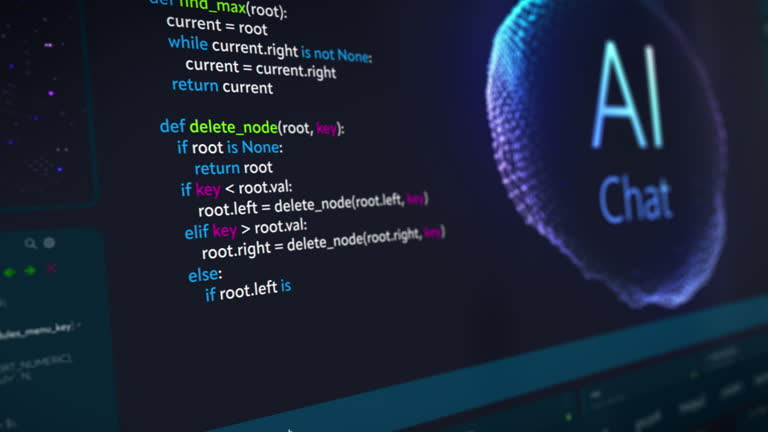
Web development has changed dramatically over the last few years. Developers who once spent hours writing code, fixing errors, and searching for solutions can now use artificial intelligence to speed up their work.
Whether you are building a website, developing a mobile application, creating an online store, or working on a complex software project, AI coding assistants can make your development process easier.
These tools can suggest code, explain programming concepts, identify errors, generate functions, and even help build entire applications.
The best part is that you don’t always need to be an experienced programmer to benefit from them. Beginners can use AI coding assistants to learn programming, while professional developers can use them to improve their productivity.
In this guide, we’ll explore the 10 best AI coding assistants for web developers in 2026, compare their features, and help you choose the right tool for your development workflow.
What Is an AI Coding Assistant?
An AI coding assistant is a software tool that uses artificial intelligence to help developers write, understand, debug, and improve code.
Instead of manually searching for every programming solution, you can describe what you want to build and receive suggestions from an AI assistant.
For example, you could type:
“Create a responsive navigation menu using HTML, CSS, and JavaScript with a mobile-friendly hamburger button.”
The AI assistant can generate an initial code solution that you can review, test, and customize.
Common features include:
- AI-powered code completion.
- Code generation from text prompts.
- Automatic error detection and debugging assistance.
- Code explanations.
- Refactoring and optimization suggestions.
- Test generation.
- Assistance with multiple files and larger projects.
Microsoft GitHub Copilot’s new billing model sparks outrage among developers
AI coding startup Cursor seeks funding at $50B valuation: report
9
10 Best AI Coding Assistants for Web Developers
1. GitHub Copilot – Best for Everyday Coding Assistance
GitHub Copilot is one of the most widely recognized AI coding assistants. It integrates with popular development environments and helps developers write code through intelligent suggestions and conversational assistance.
You can use it to generate functions, complete code, explain unfamiliar programming concepts, and work through coding problems.
Main features:
- AI code completion.
- Code generation.
- Chat-based programming assistance.
- Debugging support.
- Agent-based coding workflows.
Best for: Beginners, professional developers, and programmers working with GitHub.
Website: https://github.com/features/copilot
2. Cursor – Best AI-Powered Code Editor
Cursor is an AI-focused code editor designed to make software development more efficient.
One of its major advantages is its ability to work with context from your existing project. You can ask it to understand files, modify multiple parts of your codebase, and help implement new features.
For example, you could ask it to create a login page and connect it with your existing application structure.
Main features:
- AI-assisted code generation.
- Codebase understanding.
- Multi-file editing.
- Intelligent code completion.
- AI agent workflows.
Best for: Full-stack developers, web developers, and programmers working on larger projects.
Website: https://cursor.com/
3. Claude Code – Best for Complex Coding Tasks
Reduce iOS Development Time by 60% with Claude Code | by Osman Demiröz | Mar, 2026 | Medium
Claude Code is an AI coding agent designed to help developers work directly with their codebases.

It can inspect project files, make code changes, execute development commands, and assist with debugging and refactoring.
This makes it particularly useful for developers working on projects that involve multiple files and complicated requirements.
Main features:
- Codebase analysis.
- Multi-file code editing.
- Terminal-based development assistance.
- Debugging and refactoring.
- Test execution support.
Best for: Experienced developers and programmers working on complex software projects.
Website: https://www.claude.com/product/claude-code
4. Windsurf – AI-Assisted Development Environment
Windsurf Cascade uses AI to help beginners code games and applications – Fast Company
Windsurf became known for its AI-powered development environment and agent-based coding workflows.
Its technology and product branding have evolved, so check the current official product offering when choosing it.
The platform’s agent-oriented approach is designed to help developers understand project context and make coordinated code changes.
Main features:
- AI-assisted coding.
- Project context awareness.
- Agent-based development workflows.
- Code generation and editing.
- Development environment integration.
Best for: Developers who prefer an AI-assisted editor and guided coding workflows.
Website: https://windsurf.com/
5. OpenAI Codex – AI Agent for Software Development
OpenAI Codex Download | TechSpot
OpenAI Codex helps developers work on software tasks using natural-language instructions.
Depending on the available interface and configuration, it can inspect code, implement changes, run tests, and assist with development tasks.
It is useful when you want an AI agent to help with a defined programming task rather than simply suggest the next line of code.
Main features:
- AI-assisted software development.
- Code generation and editing.
- Debugging assistance.
- Test and review workflows.
- Support for larger development tasks.
Best for: Developers who want AI assistance with implementing and reviewing software changes.
Website: https://openai.com/codex/
6. Replit AI – Best for Beginners and Rapid Prototyping
Replit Review 2026: AI App Builder Tested | No Code MBA
Replit offers a browser-based development environment with AI-assisted coding capabilities.
You can describe an application idea and use its AI agent to help create a working starting point.
Because it works online, you don’t need to configure a traditional development environment before experimenting.
Main features:
- Browser-based coding.
- AI application generation.
- Code explanations.
- Debugging assistance.
- Project preview and deployment options.
Best for: Beginners, students, and developers who want to prototype applications quickly.
Website: https://replit.com/
7. Gemini Code Assist – AI Assistance for Developers
Gemini Code Assist release notes | Google for Developers
Gemini Code Assist is Google’s AI coding assistant. It helps developers generate code, understand programming concepts, and improve their development workflow.
It integrates with supported development environments and can assist with different programming languages.
Main features:
- Code generation.
- Intelligent code completion.
- Code explanations.
- Debugging assistance.
- Development environment integration.
Best for: Developers using Google Cloud, VS Code, and supported development environments.
Website: https://codeassist.google/
8. Amazon Q Developer – Best for AWS Development
Agentic Coding Experience – Amazon Q Developer – AWS
Amazon Q Developer is designed to assist programmers with software development, particularly within the AWS ecosystem.
It can help generate code, explain programming concepts, review code, and support cloud development tasks.
Main features:
- AI code suggestions.
- Code explanations.
- Development assistance for AWS.
- Security-related code assistance.
- Cloud development support.
Best for: Developers building applications and services using Amazon Web Services.
Website: https://aws.amazon.com/q/developer/
9. Tabnine – AI Coding Assistant for Development Teams
New AI tools for coders and web developers – Smultron Web Development
Tabnine focuses on AI-assisted software development, with features designed for both individual programmers and professional teams.
It offers code completion and development assistance, with options intended to support organizations that have specific privacy and deployment requirements.
Main features:
- AI code completion.
- Code generation.
- IDE integrations.
- Team development support.
- Privacy-focused deployment options.
Best for: Professional developers and organizations with software security requirements.
Website: https://www.tabnine.com/
10. Continue – Open-Source AI Coding Assistant
AI Code Generation: Ollama, VSCode and Continue.dev – Fresh/Brewed
Continue is an open-source AI coding assistant that can integrate with supported development environments.
It gives developers flexibility to configure AI models and build a coding workflow that suits their requirements.
This makes it particularly interesting for programmers who prefer customizable tools.
Main features:
- AI code completion.
- Code chat and editing.
- Configurable AI models.
- IDE integrations.
- Open-source customization.
Best for: Developers who want flexibility and more control over their AI coding setup.
Website: https://www.continue.dev/
Comparison of the Best AI Coding Assistants
| AI Tool | Best For | Skill Level |
|---|---|---|
| GitHub Copilot | Everyday coding | Beginner–Advanced |
| Cursor | AI-powered development | Intermediate–Advanced |
| Claude Code | Complex coding tasks | Intermediate–Advanced |
| Windsurf | Agent-based coding | Intermediate |
| OpenAI Codex | Software development tasks | Beginner–Advanced |
| Replit AI | Quick application building | Beginner |
| Gemini Code Assist | General coding assistance | Beginner–Advanced |
| Amazon Q Developer | AWS development | Intermediate–Advanced |
| Tabnine | Team development | Intermediate |
| Continue | Custom AI coding workflows | Intermediate–Advanced |
The best option depends on your preferred development environment, project size, budget, and the amount of control you want over AI-generated changes. daily.dev+2
How to Use an AI Coding Assistant Effectively
The Composer 2 by Cursor: The AI Coding Assistant That Works More Like a Colleague | EcomStation
If you are new to AI-assisted programming, follow these simple steps:
Step 1: Choose Your Coding Assistant
Select a tool based on your requirements. GitHub Copilot is a convenient starting point, while Cursor is worth exploring for project-wide editing.
Step 2: Explain Your Requirements Clearly
Instead of writing vague instructions, describe exactly what you want to build.
Step 3: Provide Project Context
Share relevant code files, programming languages, frameworks, and project requirements.
Step 4: Review Generated Code
Read the suggested code and make sure you understand what it does.
Step 5: Test Your Changes
Run your application, check for errors, and test the affected features.
Step 6: Improve Your Workflow
Use AI for repetitive coding tasks, documentation, debugging, and code reviews while maintaining control over important technical decisions.
Example Prompt for AI Coding Assistants
You can use this prompt with compatible AI coding tools:
Website development prompt
Act as an experienced full-stack web developer. Help me create a modern, responsive website using React, Node.js, and PostgreSQL. First, analyze my existing project structure. Do not remove or overwrite existing working features. Explain the changes before implementing them. Write clean, maintainable code, handle errors properly, and test the functionality after making changes. Copy coding prompt
Are AI Coding Assistants Worth Using?
Yes. AI coding assistants can significantly improve the development experience when used correctly.
For example, a developer building an e-commerce website might use AI to generate product cards, write API endpoints, explain database queries, and identify errors.
Instead of spending time on every repetitive coding activity, the developer can focus more on application architecture, user experience, and business requirements.
However, AI-generated code is not always correct. It can introduce bugs, security weaknesses, or unexpected changes.
Always review generated code, protect sensitive information, and test important functionality before deploying applications.
Final Thoughts
AI coding assistants are becoming valuable tools for modern web developers. They can help beginners learn programming and allow experienced developers to work more efficiently.
Whether you choose GitHub Copilot, Cursor, Claude Code, OpenAI Codex, or another platform, focus on finding the tool that fits your development workflow.
You don’t need to use every AI coding assistant. Start with one, explore its features, and gradually improve the way you develop software.
For more AI tools, technology guides, software recommendations, and the latest artificial intelligence updates, visit FocusAI.com.
Keep learning, keep building, and let AI make your development journey smarter!
Frequently Asked Questions (FAQs)
1. What is the best AI coding assistant in 2026?
Cursor, GitHub Copilot, and Claude Code are popular choices. GitHub Copilot is convenient for everyday coding, Cursor is useful for multi-file editing, and Claude Code is designed for more complex coding tasks.
2. Are AI coding assistants free?
Some tools offer free plans or limited access, including GitHub Copilot, Cursor, and Replit. Advanced features and higher usage limits may require subscriptions.
3. Can beginners use AI coding assistants?
Absolutely. Beginners can use them to understand programming concepts, generate example code, fix basic errors, and learn different programming languages.
4. Can AI coding assistants build complete websites?
Yes. Some AI coding agents can help generate entire website projects, including frontend components and backend functionality. However, developers should review, test, and secure the resulting applications.
5. Which AI coding assistant is best for JavaScript?
GitHub Copilot, Cursor, Claude Code, and Gemini Code Assist are useful options for JavaScript and modern web development.
6. Can AI coding assistants replace web developers?
No. They can automate parts of development, but human developers are still essential for architecture, security, testing, problem-solving, and understanding business requirements.
7. Is AI-generated code safe to use?
It can be useful, but it must be reviewed and tested. Never assume generated code is automatically secure or production-ready.
