
Have you ever imagined a beautiful picture but struggled to create it because you don’t have professional graphic design skills? Maybe you need an attractive image for your blog, a social media post, a business advertisement, or even a personal project.
The good news is that you no longer need expensive design software or advanced editing experience to bring your ideas to life.
With the help of artificial intelligence, you can turn simple text descriptions into impressive images within seconds. Even better, several platforms offer free access, allowing beginners to experiment without spending money.
In this guide, we’ll explore the 10 best free AI image generators in 2026, explain what makes each one useful, and help you choose the right tool for your creative needs.
What Is an AI Image Generator?
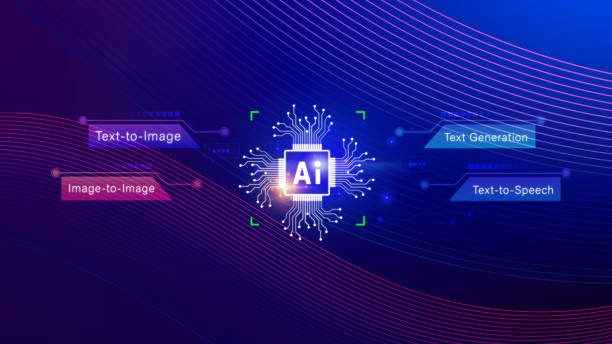
An AI image generator is a tool that uses artificial intelligence to create pictures based on written instructions, commonly called prompts.
For example, imagine typing:
“A beautiful modern house surrounded by green gardens, golden sunlight, realistic photography, high detail.”
An AI image generator analyzes your description and creates an image that attempts to match your instructions.
You can generate different types of visuals, including:
- Realistic photographs
- Digital artwork and illustrations
- Cartoon and anime characters
- Product photography
- Business advertisements
- Website graphics and blog images
- Creative social media designs
The best part is that you don’t need to know how to draw or use complicated design software.
10 Best Free AI Image Generators in 2026
Let’s look at some popular AI image generation platforms and what they can offer.
1. Google Gemini
Google Gemini is a convenient option for people who want to generate and edit images using simple text instructions.
You can describe the picture you want, request changes, and experiment with different creative ideas through a conversational interface.
Best for:
- Beginners
- Realistic image concepts
- Creative image editing
- Everyday image generation
Its free access is subject to usage limits, which can change depending on availability and account type.
2. ChatGPT
ChatGPT is another useful option for creating images without learning complicated design techniques.
You can describe your idea in everyday language and request adjustments to the generated result. For example, you can ask for a different background, lighting, composition, or artistic style.
Best for:
- Blog illustrations
- Creative concepts
- Social media graphics
- Image editing and variations
It is particularly useful when you want to develop an image through a conversation rather than writing a complicated technical prompt.
3. Microsoft Bing Image Creator
Microsoft Bing Image Creator makes AI image generation accessible through a familiar web interface.
You simply enter a description of your desired image and let the system generate visual results.
Best for:
- Beginners
- Creative experiments
- Social media visuals
- Quick image generation
Free usage may include faster generation allowances and slower generation options. Check the current Microsoft account limits before relying on it for regular projects.
4. Leonardo AI
Leonardo AI is a popular platform for creating detailed digital artwork and creative visuals.
It offers different image-generation models and creative controls, making it useful for people who want more flexibility than a basic image generator.
Best for:
- Game character designs
- Fantasy artwork
- Digital illustrations
- Creative product concepts
Its free access uses a token-based system, so the number of images you can create depends on the available credits and generation settings.
5. Adobe Firefly
Adobe Firefly is designed for creative image generation and editing.
It can help users create visual concepts, modify images, and explore different artistic styles. It is also useful for people already working with Adobe’s creative applications.
Best for:
- Professional design concepts
- Marketing visuals
- Image editing
- Creative business projects
Adobe offers limited free access, while additional features and credits may require a paid subscription.
6. Ideogram
Ideogram is particularly useful when you want to create images containing written text.
Many image generators struggle with spelling and accurately displaying words inside pictures. Ideogram is designed to handle typography-focused visual generation more effectively.
Best for:
- Posters
- Logos and visual concepts
- Typography designs
- Promotional graphics
It offers a free tier with limited generation credits.
7. Canva AI
Canva AI is a convenient choice for people who want to generate images and immediately use them in finished designs.
Instead of creating an image separately and moving it into another application, you can work on graphics, presentations, and social media content within Canva.
Best for:
- Instagram posts
- Blog graphics
- Presentations
- Marketing materials
Its AI features have usage limits, depending on the plan and feature.
8. FLUX
FLUX is a family of AI image-generation models known for creative flexibility and detailed visual output.
Depending on the model and platform, you can use FLUX through hosted services or compatible local applications.
Best for:
- Detailed artwork
- Photorealistic concepts
- Creative experimentation
- Advanced image generation
Some FLUX models have open-weight availability, but commercial licensing and hardware requirements vary by model.
9. Stable Diffusion
Stable Diffusion is a well-known image-generation technology that gives users considerable creative control.
You can use compatible online platforms or install supported models on your own computer.
Best for:
- Advanced image customization
- Digital artwork
- Character creation
- Experimental designs
Local installation can provide more control, but it requires suitable computer hardware and some technical knowledge.
10. Krea AI
Krea AI is another creative platform that combines image generation with visual editing and enhancement features.
It can be useful when you want to experiment with different styles and improve the appearance of existing visuals.
Best for:
- Creative image generation
- Visual experimentation
- Image enhancement
- Design concepts
Its free plan includes limited usage, so check the current allowance before starting a larger project.
Quick Comparison of the Best Free AI Image Generators
| AI Tool | Best Use | Free Access |
|---|---|---|
| Google Gemini | General image creation | Limited |
| ChatGPT | Conversational image creation | Limited |
| Bing Image Creator | Quick image generation | Limited |
| Leonardo AI | Digital artwork | Free credits |
| Adobe Firefly | Creative design | Free credits |
| Ideogram | Text-based graphics | Free credits |
| Canva AI | Social media designs | Limited |
| FLUX | Advanced image generation | Depends on platform |
| Stable Diffusion | Custom image generation | Free local options |
| Krea AI | Image creation and enhancement | Limited |
Free allowances, commercial permissions, and available features can change. Always check the provider’s current terms before using generated images commercially.
How to Write Better Prompts for AI Image Generators
The quality of your generated image depends partly on how clearly you describe your idea.
A short prompt can produce an interesting result, but detailed instructions often provide better control.
Here are some simple tips:
1. Describe the main subject: Explain exactly what you want in the picture.
2. Mention the environment: Include the background, location, or surrounding objects.
3. Choose an artistic style: You can request realistic photography, 3D animation, watercolor, or digital artwork.
4. Explain the lighting: Mention natural sunlight, studio lighting, sunset, or cinematic lighting.
5. Specify the image format: For example, request a square 1:1 image for Instagram or a 16:9 image for a blog banner.
Example AI Image Prompt
“Create a realistic photograph of a modern luxury office with large windows, beautiful natural sunlight, elegant furniture, indoor plants, professional interior photography, highly detailed textures, and a clean composition.”
Experiment with different descriptions until you achieve the result you want.
Are Free AI Image Generators Safe for Commercial Use?
This is an important question, especially if you create images for websites, businesses, or advertisements.
Not every free AI image generator offers the same usage permissions.
Before publishing or selling an AI-generated image, check:
- Whether commercial use is permitted.
- Whether attribution is required.
- Whether generated images are publicly visible.
- Whether watermarks are applied.
- Whether additional licensing restrictions exist.
Also avoid generating images that misuse copyrighted characters, trademarks, or another person’s identity.
If you’re creating images for a business, reviewing the platform’s licensing terms is just as important as checking image quality.
Final Thoughts
Free AI image generators have made digital creativity more accessible than ever. You can now create impressive visuals for blogs, advertisements, presentations, and social media without being a professional designer.
Whether you choose Google Gemini for everyday creativity, Ideogram for typography, Leonardo AI for digital artwork, or Canva AI for finished designs, there is an option for almost every type of user.
My recommendation is to start with two or three tools rather than trying all ten at once. Test different prompts, compare the results, and discover which platform matches your creative requirements.
If you want to explore more artificial intelligence tools, discover useful AI resources, and learn about the latest developments, visit FocusAI.com.
Your next creative idea might be just one prompt away!
Frequently Asked Questions (FAQs)
1. What is the best free AI image generator in 2026?
There is no single winner for every purpose. Google Gemini, ChatGPT, Bing Image Creator, and Leonardo AI are popular choices, depending on your creative needs.
2. Can I generate AI images without paying?
Yes. Several platforms offer free plans, daily allowances, or complimentary credits. However, generation limits and available features vary.
3. Which AI image generator is best for beginners?
Google Gemini and ChatGPT are convenient starting points because you can describe your ideas using ordinary language.
4. Can AI generate realistic human photographs?
Yes. Modern AI image generators can create highly realistic-looking human images, portraits, and lifestyle scenes. However, results may contain visual imperfections.
5. Can I use AI-generated images on my blog?
Generally, yes, but you should check the image generator’s terms and licensing conditions before publishing.
6. Which AI image generator is best for creating logos?
Ideogram and Adobe Firefly can help generate logo concepts. However, you should carefully check typography, originality, and trademark availability before using a logo commercially.
7. Do I need graphic design experience to use AI image generators?
No. Most modern platforms allow you to create images simply by describing what you want in written instructions.
