
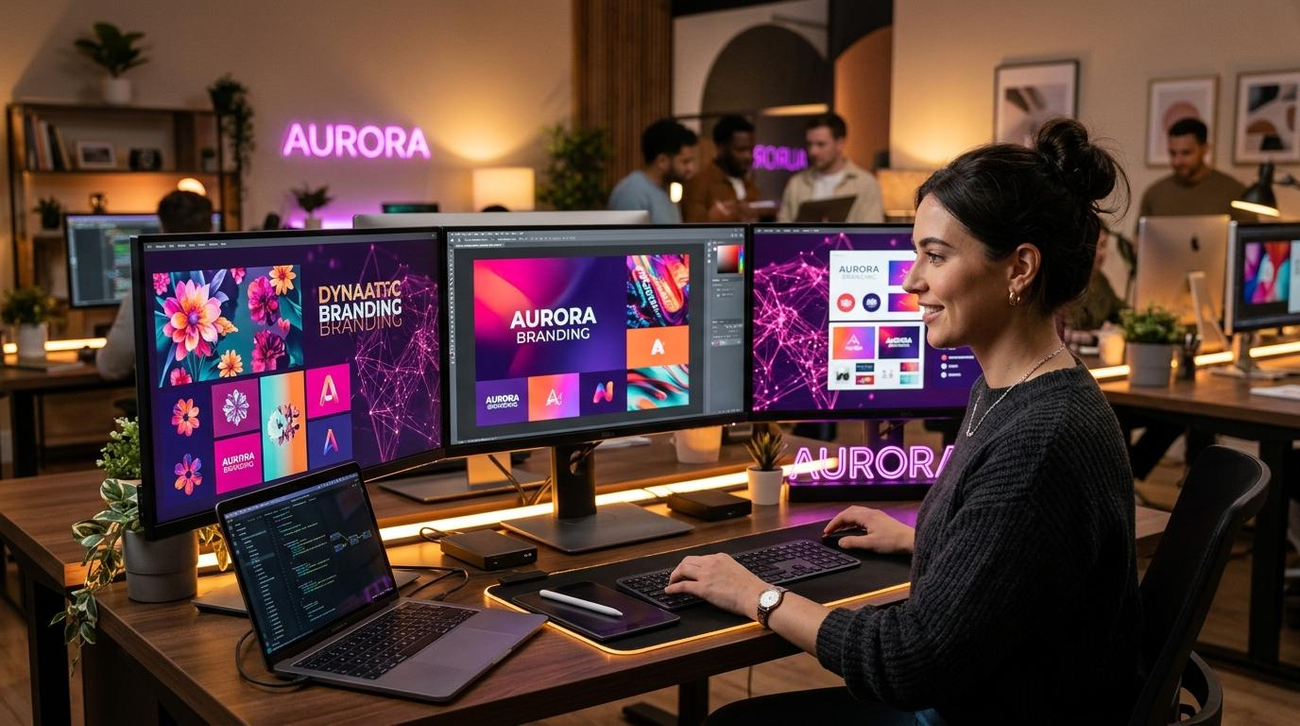
Graphic design is changing rapidly, and artificial intelligence is becoming an important part of the creative industry. Tasks that once required hours of manual work can now be completed much faster with the help of AI-powered design tools.
Whether you are designing a business logo, creating social media advertisements, editing product photographs, developing brand identities, or preparing marketing materials, AI can help you improve your creative workflow.
The best part is that you don’t have to be an experienced graphic designer to start using these tools. Many platforms offer beginner-friendly features that make professional-looking designs more accessible.
However, AI is not just for beginners. Professional designers can also use it to generate creative concepts, explore new styles, automate repetitive tasks, and experiment with different design directions.
In this guide, we’ll explore the 10 best AI tools for graphic designers in 2026, compare their features, and explain how to choose the right software for your creative projects.
How to Use AI to Generate Mood Boards for UI Design | ArcTouch
AI Image Editor with Prompt No Restrictions – Free AI Image Editing Online
12
What Are AI Graphic Design Tools?
AI graphic design tools are software applications that use artificial intelligence to help people create, edit, and improve visual content.
They can generate images, suggest layouts, remove backgrounds, create design elements, improve photographs, and assist with many other creative tasks.
For example, you can describe a promotional poster for a clothing brand and use an AI design tool to generate an initial concept.
Common features include:
- AI image generation.
- Automatic background removal.
- Logo and branding concepts.
- Social media design templates.
- AI photo editing.
- Text-to-design generation.
- Image enhancement.
- Layout and typography suggestions.
- Creative automation.
These features can help designers spend less time on repetitive work and more time developing original creative ideas.
10 Best AI Tools for Graphic Designers in 2026
1. Canva Magic Studio – Best All-in-One Design Tool
Canva’s AI-powered Magic Studio Used 5 Billion Times and Counting | OpenAI
Canva Magic Studio is an excellent choice for graphic designers who want to create professional designs without spending hours working with complicated software.
It combines traditional graphic design features with AI-powered tools that help users create social media graphics, presentations, advertisements, posters, and marketing materials.
You can start with a simple prompt, explore different layouts, and customize the result using Canva’s editing tools.
Main features:
- AI-assisted design generation.
- Background removal and image editing.
- Ready-made design templates.
- Brand Kit for consistent branding.
- Automatic design resizing.
- Social media graphics and presentations.
Best for: Beginners, freelancers, marketers, and small businesses.
Website: https://www.canva.com/
2. Adobe Firefly – Best for Professional Creative Workflows
How to Download Adobe Firefly: Text to Image, Generative Fill, True AI Photo Editor, and More
Adobe Firefly is an AI-powered creative platform designed to support professional image generation and editing workflows.
It helps designers explore visual concepts, generate creative assets, and modify existing images using text instructions.
Its integration with Adobe’s creative ecosystem makes it particularly useful for people who already work with Photoshop, Illustrator, and Adobe Express.
Main features:
- Text-to-image generation.
- Generative Fill.
- Generative Expand.
- AI-powered image editing.
- Creative text effects.
- Integration with Adobe applications.
Best for: Professional graphic designers, advertising agencies, and creative teams.
Website: https://firefly.adobe.com/
3. Adobe Photoshop – Best for Advanced Image Editing
Adobe Announces All New AI-Powered Creative Cloud Release
Adobe Photoshop remains an important tool for professional graphic designers.
Its AI-powered features make it easier to remove unwanted objects, extend backgrounds, generate new visual elements, and improve photographs.
It is especially useful when you need detailed control over layers, masks, colors, and image composition.
Main features:
- Generative Fill and Expand.
- AI-assisted object selection.
- Background replacement.
- Advanced photo manipulation.
- Layer-based editing.
- Professional image retouching.
Best for: Professional designers, photo editors, and advertising creatives.
Website: https://www.adobe.com/products/photoshop.html
4. Midjourney – Best for Creative Visual Concepts
Graphic Design in Midjourney AI: Styles, Prompts, Samples | In Focus | Andrei Kovalev’s Midlibrary
Midjourney is widely used for generating visually distinctive images and exploring creative design ideas.
It can help graphic designers create mood boards, advertising concepts, artistic illustrations, and unique visual directions.
For example, a designer developing a luxury fashion campaign can experiment with different lighting styles, compositions, and artistic approaches before creating the final advertisement.
Main features:
- Text-to-image generation.
- Artistic visual exploration.
- Multiple creative styles.
- Image variations.
- Reference-based visual workflows.
Best for: Creative designers, advertising professionals, and digital artists.
Website: https://www.midjourney.com/
5. Figma AI – Best for UI and Interface Design
Config 2025: Pushing Design Further | Figma Blog
Figma is a popular collaborative design platform used for creating website interfaces, mobile applications, prototypes, and digital products.
Its AI features can assist with design workflows, including content generation, visual editing, and working with interface elements.
It is particularly useful when graphic designers collaborate with developers, product managers, and other creative professionals.
Main features:
- AI-assisted design workflows.
- Website and application interface design.
- Interactive prototyping.
- Collaborative editing.
- Reusable components.
- Design system management.
Best for: UI designers, UX designers, product teams, and web designers.
Website: https://www.figma.com/
6. Recraft – Best for AI Vector Graphics
Free AI Vector Generator Online | Recraft
Recraft is an AI-powered design platform that helps users generate illustrations, icons, vector-style graphics, and other visual assets.
One of its useful strengths is its focus on vector-oriented design workflows.
This makes it worth exploring when you need graphics that can be edited and scaled for different design projects.
Main features:
- AI image generation.
- Vector graphics generation.
- SVG-oriented workflows.
- Icon and illustration creation.
- Style consistency tools.
- Image editing.
Best for: Logo designers, illustrators, branding professionals, and graphic designers.
Website: https://www.recraft.ai/
7. Ideogram – Best for Typography and Poster Design
Ideogram API for Image Generation, Editing, and Character Consistency | Kie.ai
Ideogram is particularly useful for creating visual compositions that include prominent text.
Graphic designers often need posters, banners, advertisements, and promotional images containing headlines or short messages.
Ideogram can help generate these concepts from text prompts, although final spelling and layout should always be checked.
Main features:
- Text-to-image generation.
- Typography-focused visuals.
- Poster and advertisement concepts.
- Creative image styles.
- Image editing and variations.
Best for: Poster designers, advertising creatives, and social media designers.
Website: https://ideogram.ai/
8. Kittl – Best for Typography and Merchandise Design
Find Your Perfect Font, Only on Kittl
Kittl is a creative design platform that provides tools for typography, illustrations, merchandise, and branding.
It is particularly useful for designers who create clothing graphics, promotional posters, labels, and product designs.
Its templates and AI-assisted features can help speed up creative experimentation.
Main features:
- Typography and text effects.
- AI-assisted design features.
- Illustration resources.
- Logo and branding templates.
- Merchandise design.
- Product mockups.
Best for: Clothing brands, print-on-demand businesses, and creative designers.
Website: https://www.kittl.com/
9. Leonardo AI – Best for AI Artwork and Illustrations
Leonardo.Ai Review 2026: AI Art Generator for Creators
Leonardo AI provides creative image-generation and editing tools that can help designers develop original visual assets.
It is useful for creating illustrations, advertising concepts, characters, backgrounds, and other artwork for digital projects.
Designers can experiment with different visual styles and generation settings to develop ideas for their projects.
Main features:
- AI image generation.
- Digital illustration creation.
- Image editing.
- Visual style controls.
- Creative asset generation.
- Multiple image-generation models.
Best for: Digital artists, illustrators, and advertising designers.
Website: https://leonardo.ai/
10. Khroma – Best for AI Color Palette Generation
Create brand color palettes | Ben’s Bites
Choosing the right colors is an important part of graphic design. A good color combination can make a brand look professional, memorable, and visually appealing.
Khroma uses AI to help users explore color combinations and discover palettes that match their creative preferences.
It can be particularly useful when developing brand identities, website themes, posters, and marketing graphics.
Main features:
- AI-generated color combinations.
- Personalized color palettes.
- Color inspiration.
- Palette exploration.
- Color combination previews.
Best for: Branding designers, web designers, and graphic design beginners.
Website: https://www.khroma.co/
Comparison of the Best AI Tools for Graphic Designers
| AI Tool | Best For | Skill Level |
|---|---|---|
| Canva Magic Studio | All-in-one graphic design | Beginner |
| Adobe Firefly | AI creative production | Beginner–Advanced |
| Adobe Photoshop | Advanced image editing | Advanced |
| Midjourney | Creative image generation | Intermediate |
| Figma AI | UI and UX design | Intermediate |
| Recraft | Vector graphics | Intermediate |
| Ideogram | Typography and posters | Beginner |
| Kittl | Merchandise and typography | Beginner–Intermediate |
| Leonardo AI | Digital illustrations | Beginner–Intermediate |
| Khroma | Color palette creation | Beginner |
These tools solve different design problems. Canva focuses on ready-to-use layouts, Recraft on vector-oriented graphics, Figma on digital interfaces, and Adobe products on professional creative workflows. Perplexity AI Magazine+2
How to Use AI Tools in Your Graphic Design Workflow
Adobe Firefly Custom Models: Brand AI at Scale | AI Automation Global
AI tools become more useful when you include them in an organized design process.
Here is a simple workflow you can follow:
Step 1: Understand the Design Requirements
Before opening an AI tool, decide what you need to create. It could be a business logo, social media advertisement, product banner, website graphic, or promotional poster.
Step 2: Generate Creative Ideas
Use ChatGPT, Midjourney, or Adobe Firefly to explore different concepts, styles, and visual directions.
Step 3: Create the Main Visual Elements
Generate illustrations, backgrounds, product concepts, and other design assets using appropriate AI tools.
Step 4: Build the Final Layout
Use Canva, Photoshop, or Figma to arrange the elements, adjust spacing, and develop a professional composition.
Step 5: Improve Typography and Colors
Use Ideogram for typography-based concepts and Khroma for exploring color combinations. Check all text manually.
Step 6: Export the Final Design
Save your work in the correct format and dimensions. Use suitable vector formats for scalable artwork and high-resolution raster formats for digital graphics.
5 Useful AI Prompts for Graphic Designers
Here are five prompts you can copy and experiment with using compatible AI image-generation and design tools.
1. Professional Business Advertisement
Create a professional business advertisement design with a modern layout, elegant typography, attractive color combinations, balanced spacing, premium visual elements, and a clean composition. Leave enough space for the business name, headline, product image, and contact details. Make it suitable for social media and print advertising. Copy prompt
2. Luxury Brand Identity
Design a modern minimalist luxury logo by Designbykadir01 | Fiverr
Develop a luxury brand identity concept using elegant typography, a sophisticated black and gold color palette, minimal geometric elements, premium packaging, and consistent visual styling. Create a timeless and memorable appearance suitable for a high-end fashion brand. Copy prompt
3. Modern Social Media Post
Create an eye-catching social media promotional post with a modern layout, attractive colors, professional typography, clear visual hierarchy, and a strong focal point. Use a square 1:1 composition and leave editable space for a headline, short description, and call-to-action. Copy prompt
4. Creative Website Banner
Abstract background for technology graphic design and network connection concept
Design a modern website hero banner for a technology company. Use a clean professional composition, attractive gradients, subtle abstract elements, balanced whitespace, and a premium visual appearance. Keep the main subject on the right and leave clear space on the left for a headline and call-to-action. Copy prompt
5. Professional Product Advertisement
“All Time Favourites” Campaign L’Oréal Germany :: Behance
Create a premium product advertisement featuring a beautifully presented product, realistic studio lighting, elegant background, accurate product proportions, sophisticated typography, and professional commercial photography. Keep the product fully visible and create a visually balanced advertising composition. Copy prompt
Benefits of Using AI in Graphic Design
AI can make many parts of graphic design faster and more convenient.
Some important benefits include:
- Faster idea generation: Explore multiple concepts without starting every design manually.
- Improved productivity: Automate repetitive tasks such as background removal and image editing.
- More creative possibilities: Experiment with styles, illustrations, and visual concepts.
- Beginner-friendly design: Make creative software more accessible to people with limited experience.
- Better workflow flexibility: Combine AI generation with traditional editing software.
- Time savings: Spend more time refining layouts and improving the final design.
Limitations of AI Graphic Design Tools
Although AI offers many advantages, it cannot automatically guarantee professional design quality.
There are several things to consider:
- Text accuracy: AI-generated text can contain spelling mistakes or incorrect lettering.
- Originality: Similar visual concepts may already exist elsewhere.
- Editing limitations: Some AI generators produce flat images rather than fully editable design files.
- Brand consistency: AI-generated designs may not always follow your brand guidelines.
- Copyright and licensing: Commercial usage rights vary between platforms.
- Human creativity: Good design still requires judgment, visual balance, communication, and attention to detail.
The strongest approach is to use AI as a creative assistant while keeping control of the final design.
Final Thoughts
AI is changing graphic design by making creative tools more accessible and helping designers complete projects more efficiently.
From generating original images to creating logos, designing advertisements, editing photographs, and building brand identities, AI can support almost every stage of the creative process.
My recommendations are:
- Best overall: Canva Magic Studio.
- Best for professional designers: Adobe Firefly.
- Best for advanced editing: Adobe Photoshop.
- Best for creative artwork: Midjourney.
- Best for vector graphics: Recraft.
- Best for UI design: Figma AI.
You don’t need to use all ten tools. Start with the ones that match your design requirements and gradually build your own creative workflow.
Remember, AI can generate impressive designs, but your creativity and design judgment are what turn those ideas into professional work.
For more AI tools, creative software recommendations, and practical technology tutorials, visit FocusAI.com.
Explore new possibilities, improve your creative skills, and make smarter designs with AI!
Frequently Asked Questions (FAQs)
1. What are the best AI tools for graphic designers in 2026?
Canva Magic Studio, Adobe Firefly, Photoshop, Midjourney, Recraft, and Figma AI are among the useful options. Each serves different design requirements.
2. Can AI replace graphic designers?
No. AI can automate certain design tasks and generate creative concepts, but professional designers are still needed for brand strategy, visual communication, originality, and quality control.
3. Which AI tool is best for beginners in graphic design?
Canva Magic Studio is a convenient starting point because it offers templates, easy editing, and AI-assisted design features.
4. Which AI tool is best for logo design?
Looka, Canva, Recraft, and Adobe Illustrator workflows are useful for exploring logo concepts and developing brand identities.
5. Which AI tool is best for creating posters?
Canva, Ideogram, Kittl, and Adobe Firefly are useful for poster concepts and promotional graphics.
6. Can AI tools create professional social media designs?
Yes. Canva, Adobe Express, and similar platforms can help create social media posts, advertisements, banners, and promotional materials.
7. Are AI graphic design tools free?
Some offer free plans or limited credits. Advanced features, commercial-use options, and higher usage limits may require paid subscriptions.
8. Can I use AI-generated graphics commercially?
This depends on the platform, its licensing terms, the specific model, and the assets used. Always check commercial-use permissions before using designs for clients or businesses.
